
Frontend UI Mastery
Build production-grade frontend interfaces with accessibility, reusable components, and responsive design. Covers WCAG compliance, component architecture, and mobile-first layouts.
Install
Run this command to install all skills in this plugin:
npx skillstore add @frontend-ui-mastery Skills will be installed to .claude/skills/ directory
Overview
Usage Guide
Enhanced by AIDetailed Guide
## Overview

Frontend UI Mastery bundles three production-grade frontend skills — **frontend-accessibility**, **frontend-components**, and **frontend-responsive** — into one plugin. Together they cover the full UI lifecycle: build composable components, make them accessible to every user, and adapt them seamlessly across devices. One author, consistent conventions across React, Vue, and Svelte.

## Quick Start

1. Install the plugin in your OpenClaw workspace.
2. When scaffolding a new UI, invoke **frontend-components** to define reusable, single-responsibility components with clean props and minimal local state.
3. Layer in **frontend-accessibility** for semantic HTML, ARIA, keyboard navigation, focus management, and color contrast — then run a screen-reader pass to confirm WCAG compliance.
4. Finish with **frontend-responsive** to apply mobile-first breakpoints, fluid containers, and touch-friendly sizing so the same components adapt from phone to desktop.

## Key Commands

- `frontend-components` — Design composable React/Vue/Svelte components with clear interfaces and proper encapsulation.
- `frontend-accessibility` — Audit and fix semantic HTML, ARIA, keyboard navigation, and screen-reader compatibility for WCAG conformance.
- `frontend-responsive` — Build mobile-first responsive layouts with media queries, relative units, and standard breakpoints.

## Tips

- Build the component shell first (`frontend-components`), then immediately run an accessibility pass (`frontend-accessibility`) before adding responsive styles — fixing a11y after the fact is much more expensive than baking it in.
- Pair `frontend-responsive` with a real device test (or DevTools device emulation at `375px`, `768px`, `1280px`) to catch touch-target and reflow issues that desktop-first layouts miss.
- Combine with a backend or DB plugin to ship a full vertical slice: the UI plugin handles the user-facing layer end-to-end.
Skills
3frontend-accessibility
Safe 69Build accessible user interfaces using semantic HTML, ARIA attributes, keyboard navigation, color contrast, and screen reader compatibility. Use this skill when creating or modifying HTML templates, React/Vue components, forms, interactive elements, navigation menus, modals, or any UI code. Apply when implementing keyboard navigation, focus management, alt text for images, form labels, heading structure, color contrast, or testing with screen readers. Use for all frontend development to ensure interfaces are usable by people with disabilities and meet WCAG accessibility standards.
frontend-components
Safe 70Design and build reusable, composable UI components following single responsibility principle with clear props, proper encapsulation, and minimal state management. Use this skill when creating or modifying React, Vue, Svelte, or web components, defining component props or interfaces, managing component state, building component libraries, or refactoring UI code. Apply when working with .jsx, .tsx, .vue, .svelte files, component directories, or any code that defines reusable UI building blocks with configurable interfaces and composable architectures.
frontend-responsive
Safe 69Build mobile-first responsive layouts with fluid containers, relative units, standard breakpoints, and touch-friendly design that adapts seamlessly across devices. Use this skill when creating or modifying layouts, implementing media queries, defining breakpoints, choosing sizing units, optimizing for mobile devices, or testing UI across screen sizes. Apply when working with responsive design, mobile layouts, tablet views, desktop views, viewport configuration, or any styling that needs to adapt to different screen sizes and device capabilities.
Similar Plugins
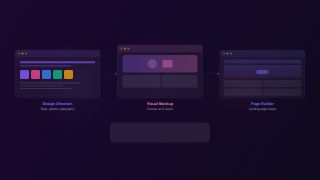
Frontend Design Toolkit
From design direction to visual mockup to landing page — a design-to-page workflow
3 skills

Frontend Release Gate
A pre-release workflow for UI-heavy changes that catches broken flows, lint/type regressions, and obvious security issues before shipping.
3 skills
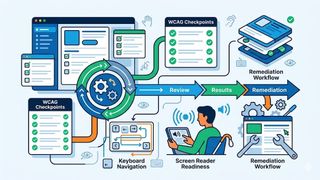
A11y Launch Check
A pre-release accessibility plugin for reviewing UI against WCAG, ARIA, and assistive-tech expectations. It helps teams catch issues before launch and turn them into clear remediation steps.
3 skills