
Asistente de Despliegue de Vercel
Despliegues en Vercel con un clic, retrocesos de vista previa y monitoreo de producción con flujos de trabajo CI/CD automatizados.
Instalar
Ejecuta este comando para instalar todas las habilidades en este complemento:
npx skillstore add @vercel-deploy-assistant Las habilidades se instalarán en el directorio .claude/skills/
Descripcion general
Guia de uso
Mejorado por IAGuia detallada
## Para Quién Es Esto

Desarrolladores frontend y hackers independientes que despliegan aplicaciones Next.js en Vercel. Este plugin maneja el ciclo de vida completo del despliegue — desde aplicar mejores prácticas y gestionar variables de entorno hasta activar despliegues y monitorear el estado — todo desde el chat.

## Inicio Rápido en 3 Pasos

1. **Revisa antes de publicar** — solicita: `"Use next-best-practices to review my Next.js app structure and flag any issues before deploying"`. La habilidad verifica el uso de Server Components, los patrones de obtención de datos y las convenciones de archivos.
2. **Despliega** — solicita: `"Use vercel-deployment to deploy my project at ~/Projects/myapp to production"`. La habilidad maneja el flujo de Vercel CLI incluyendo la validación de variables de entorno.
3. **Gestiona el despliegue** — solicita: `"Use vercel-automation to list my last 5 deployments and show the status of each"`. La habilidad también puede revertir, gestionar DNS o actualizar variables de entorno.

## Paso → Habilidad → Entrada → Salida

| Paso | Habilidad | Lo Que Proporcionas | Lo Que Obtienes |
|------|-------|------------------|--------------|
| Revisión previa al despliegue | next-best-practices | Directorio del proyecto o fragmento de código | Lista de problemas + recomendaciones de mejores prácticas |
| Despliegue | vercel-deployment | Ruta del proyecto + entorno objetivo | URL de despliegue + resumen del log de construcción |
| Gestión post-despliegue | vercel-automation | Nombre del proyecto + acción (listar/revertir/dns) | Lista de despliegues, estado o confirmación |

## Fallos Comunes y Soluciones

- **vercel-deployment falla con "not logged in"** → Ejecuta `vercel login` en tu terminal primero, o proporciona una variable de entorno `VERCEL_TOKEN`.
- **next-best-practices marca problemas de Server Component** → Sigue las sugerencias de solución en el output. Solución común: mueve `"use client"` al subárbol más pequeño posible.
- **vercel-automation no puede encontrar el proyecto** → Los nombres de proyectos distinguen mayúsculas y minúsculas en Vercel. Verifica el nombre exacto en tu dashboard de Vercel.

## Criterios de Éxito

Sabrás que funcionó cuando:
- next-best-practices devuelve una lista de verificación con todos los elementos críticos en verde
- vercel-deployment devuelve una URL `.vercel.app` activa
- vercel-automation lista tus despliegues con marcas de tiempo y estado precisos
Habilidades
3vercel-deployment
Seguro 68Desplegar Next.js en Vercel
Esta habilidad proporciona orientación experta para desplegar aplicaciones Next.js en Vercel, cubriendo configuración de entornos, funciones edge y serverless, optimización de builds y problemas comunes de despliegue.
vercel-automation
Seguro 69Automatiza despliegues e infraestructura en Vercel
Optimiza la gestión de la plataforma Vercel mediante automatización impulsada por IA. Esta habilidad permite una gestión de despliegues sin interrupciones, configuración de dominios y control de variables de entorno a través de la integración con Composio MCP.
next-best-practices
Seguro 69Construir Aplicaciones Next.js Listas para Producción
Deja de adivinar patrones de Next.js y escribe código que escala. Esta skill proporciona orientación autorizada de Vercel sobre convenciones de archivos, React Server Components, obtención de datos, manejo de errores y mejores prácticas de despliegue.
Plugins similares

Dominio de UI Frontend
Construye interfaces frontend de grado productivo con accesibilidad, componentes reutilizables y diseño responsivo. Cubre cumplimiento de WCAG, arquitectura de componentes y diseños mobile-first.
3 habilidades
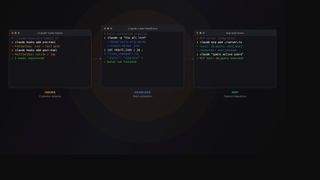
Claude Code Power Tools
Agrega hooks, ejecuciones headless e integraciones MCP para convertir Claude Code en un motor de flujo de trabajo programable
3 habilidades

Kit de Herramientas de Contenedores Docker
Contenedores Docker de extremo a extremo — audita Dockerfiles, orquesta compilaciones multi-servicio y despliega en Kubernetes. Un solo kit de herramientas para tu flujo de trabajo de contenedores.
3 habilidades